
CO2-reporting: how to collect and report your journey details
A CO2-report starts with collecting the right journey details. If you have those details in order, reporting becomes much easier and you gain valuable insights to further green your mobility policy.
For many organisations, collecting journey details takes a lot of time. This is especially true when employees work hybrid and use different modes of transport. NS Go automates much of that recording and keeps all mobility data organised in one place. That makes CO2-reporting a lot simpler.
On this page you can read how to set up CO2 registration, which journey details you need and how to carry out the annual CO2 report.
An efficient CO2-report starts with a smart process:
Record journey details throughout the year.
Collect all mobility data in one central place.
Export the data for your RVO report easily with NS Go.
Use the insights to further develop your mobility policy.


A CO2-report provides insight into employees’ work-related mobility: commuting and business journeys. Employers report, among other things, the number of kilometres, the mode of transport and, where relevant, the fuel type.
The report is part of the reporting obligation Work-related Passenger Mobility (WPM). Want to know which employers the scheme applies to and which rules are relevant?

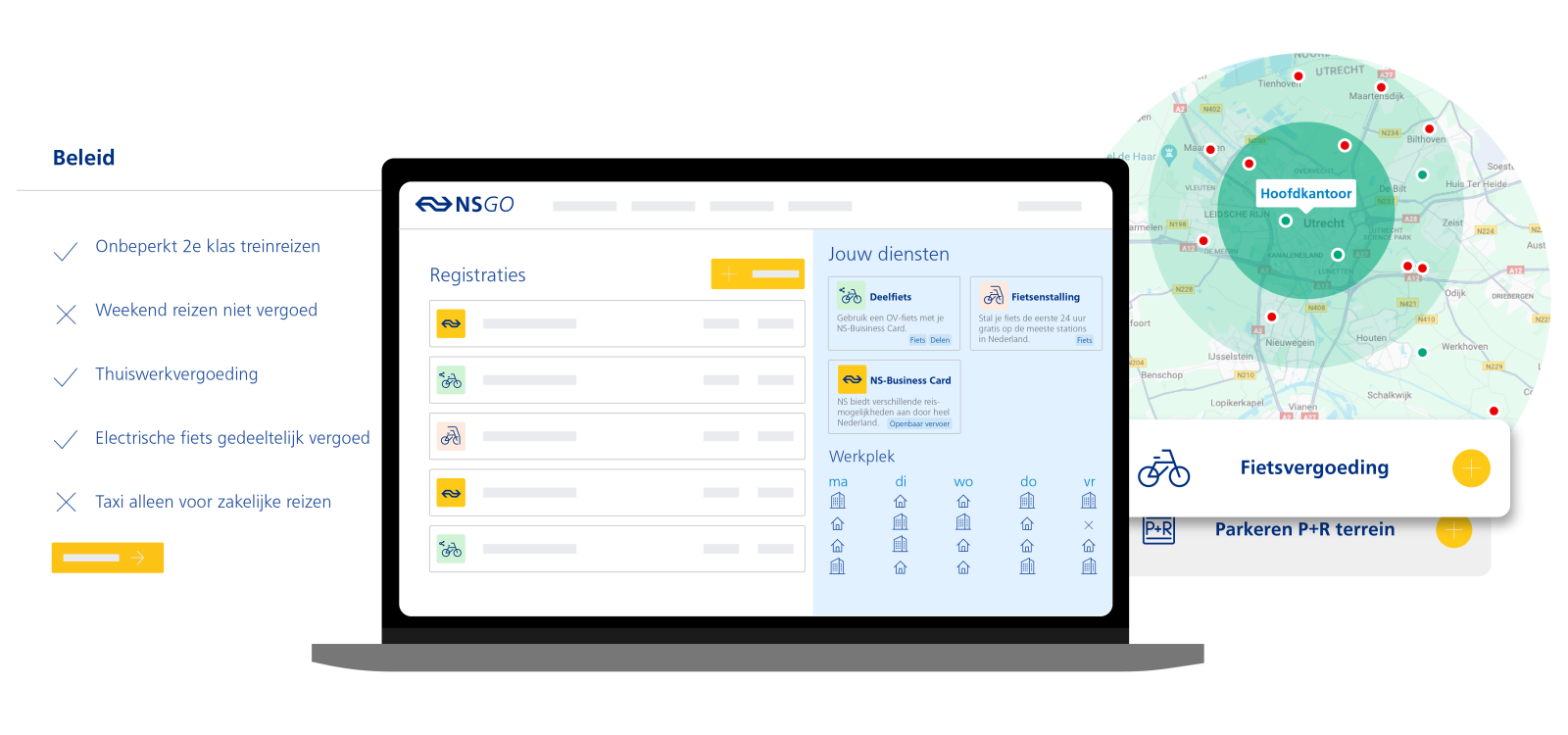
Start by recording journey details throughout the year. When you organise that well, the annual report takes far less time.
Many organisations use different data sources. Public transport journeys, expense claims, lease cars and bike trips are often recorded separately. Hybrid working makes it especially difficult to get a complete picture.
By registering journey details centrally you avoid a lot of manual checking when you need to submit the CO2-report. With
CO2-reporting is part of the WPM, the reporting obligation for work-related passenger mobility. On the WPM page you can read which employers the scheme applies to and which exceptions exist.



For the CO2-report you need data on:
The total kilometres travelled;
The mode of transport used;
For car journeys: the fuel type;
Whether the journey is commuting or business.

Gathering all journey details can take a lot of time. NS Go helps reduce that work:
Journeys made with the NS Business Card are recorded automatically.
Employees can easily add journeys by car, bike and other modes of transport.
NS Go automatically categorises journeys as commuting, business or private.
You can export the required data for the RVO report in one go.
The data you collect is not only needed for the CO2-report. NS Go gives you a single dashboard view of employees’ travel behaviour, the use of different modes of transport and your organisation’s CO2 emissions. Those insights help you make informed choices for your mobility policy and encourage more sustainable mobility.

Download the free whitepaper on CO2-reporting. It explains step by step how to set up the registration, which journey details you need and how to carry out the annual report. CTA: Download free whitepaper
Frequently asked questions about CO2-reporting
Does my organisation have to submit a CO2-report?
The CO2-report is mandatory for organisations that fall under the reporting obligation Work-related Passenger Mobility (WPM). They must submit annual data about employees’ commuting and business journeys.
The target group may change for future reporting years. Always check the current rules.
Want to know whether your organisation falls under the scheme and which rules apply? Read more on
Which regulations require companies to register their CO2 emissions?
For many employers the Work-related Passenger Mobility (WPM) is the main scheme. Organisations that fall under this scheme report annually on employees’ commuting and business journeys.
Other rules, such as the CSRD, may also mean organisations need insight into their CO2 emissions. Which obligations apply to your organisation depends on its size and situation.
Has the CO2 registration obligation for small organisations been abolished?
At present the reporting obligation Work-related Passenger Mobility (WPM) applies to organisations with 100 or more employees. The government is working on a proposal to raise that threshold to 250 employees. Until then the current rules remain in force.
Even if you are no longer required to report in the future, insight into mobility can still be valuable. Examples include the CSRD, tenders, ESG targets or your own mobility policy. With
How do you keep track of employees’ CO2 emissions?
For Work-related Passenger Mobility (WPM) you report employees’ journey details annually. This covers the total kilometres employees travel in the Netherlands for commuting and business, broken down by mode of transport and fuel type.
With a mobility platform like
How much CO2 may an organisation emit?
There is currently no maximum CO2 emission for organisations. Under Work-related Passenger Mobility (WPM) employers are required to report mobility data, not to meet a specific emissions target.
The government does have a national target: by 2030 CO2 emissions from work-related passenger mobility must be reduced by 1.5 megaton. If that target is not met, the government may introduce additional measures.
How does NS Go help with CO2-reporting?
With
Can I carry out the CO2-report using only the NS-Business Card?
Yes. In Mijn NS Zakelijk you can download journey details from the NS-Business Card. Via a short survey you indicate whether a journey was business, commuting or private. If you also want to register other modes of transport, choose
What is the best way to record journey details for the CO2-report?
The best approach is to record journey details centrally throughout the year. Especially when employees work hybrid or use different modes of transport, this avoids a lot of manual checking. With a mobility platform like NS Go you collect journey details automatically and always have the information you need for the CO2-report.