OV-fiets lock
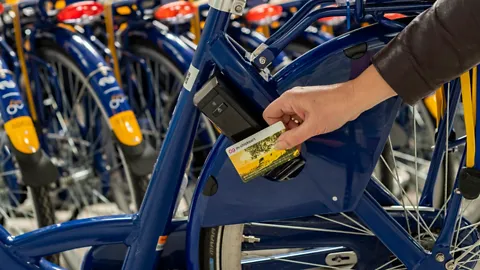
Unlock the OV-fiets with your OV-chipkaart. This is convenient, as you no longer need a key. On this page you can read exactly how it works.
How the OV-fiets lock works
You can rent an OV-fiets using an NS Flex season ticket on your OV-chipkaart. Order NS Flex Basis for free and pay no subscription fees.
We no longer offer a standalone OV-fiets season ticket. If you already have a standalone OV-fiets season ticket, it will continue to work as usual.
Lock the OV-fiets as often as you like during your journey. The OV-fiets lock only opens with your OV-chipkaart.
Choose a bike and start your rental
Your rental starts as soon as you open the lock at the rental location.
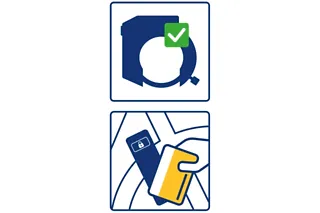
- Check the ring lock
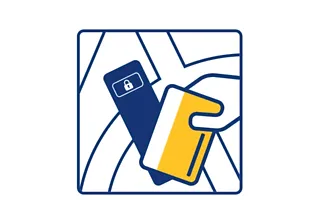
Always check beforehand that the OV-fiets ring lock is closed (lever down). This prevents you taking a bike that someone else is still renting. - Hold your OV-chipkaart to the lock
The lock opens and the rental starts.
Tip: Does the lock not open straight away? Hold your card to a different spot on the lock.
Locking the bike during your ride
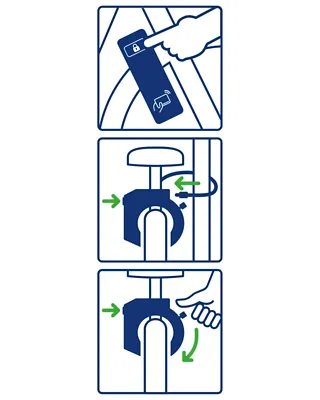
Lock the OV-fiets as often as you like during your journey.
- Hold the button down
to release the chain and secure the bike - Secure the chain to something
Push the chain back into the lock. - Press the button briefly
The light on the lock flashes green. Close the ring lock by pushing the lever on the right-hand side down.
Opening the lock during your ride
- Hold your OV-chipkaart to the lock
The lock only opens with your card. - Hold the button down
then release the chain.
Returning the bike and ending your rental
- Park the bike
In the OV-fiets zone at the rental location. - Press the button briefly
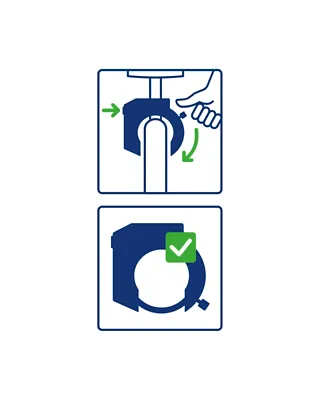
The light flashes green. Close the ring lock by pushing the lever on the right-hand side down. - Check that the ring lock is closed
Your rental ends when the ring lock is closed in the OV-fiets zone at the rental location. The light on the lock will then flash blue.
Always keep track of your OV-fiets rental
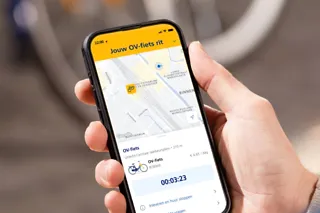
Link your OV-chipkaart to Mijn NS in the NS app. This makes it easy to see how long you have rented an OV-fiets, whether you returned it correctly and what the costs are.
- Open the NS app and sign in to Mijn NS (top right)
- Link your OV-chipkaart to your account
You will now see a notification in the app when you rent an OV-fiets.
Can’t see your bike rental?
Check in settings that ‘berichten over OV-fietshuur’ is switched on. Still not seeing your OV-fiets rental? Check that notifications are enabled on your phone.
Have you linked multiple OV-passen to your account? Make the card you use to rent an OV-fiets your favourite.