Buy your ticket online
If you travel by train occasionally and buy your ticket at an NS Ticket Machine or NS Tickets & Service shop, you can make it easier and cheaper. Simply buy your ticket online or via the NS app: order your ticket and load the e-ticket directly into the NS app. There is no need to print it.
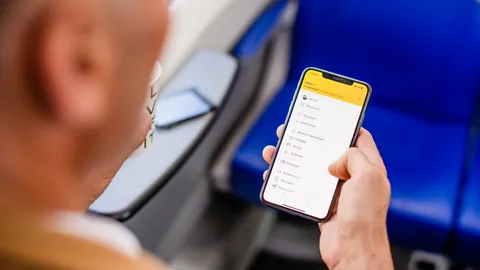
What are the advantages?
- No €1.60 surcharge on your train ticket;
- You can travel without an OV-chipkaart;
- Start your journey right away!
What are e-tickets?
E-tickets are train tickets that you load into the NS app or take with you printed out. You do not need to check in with an e-ticket. You use the e-ticket to open gates and show your ticket to the train conductor.
What do you need?
- A smartphone with Android or Apple iOS;
- The NS app. Download it from the App Store or Google Play Store. If 'My tickets' does not appear in the menu, please download the latest version of the app.
How does it work?
- Buy your ticket online and pay by iDEAL or credit card;
- You will see the My tickets page; click the Load in NS app button. The e-ticket will then be loaded into the NS app.
If you ordered on a computer, you will always receive an email confirmation from us. Open the link in the email on your phone and follow the steps above. The email also contains a link allowing you to print your e-tickets at any time.
Would you like to buy an e-ticket even more easily? Purchase it directly in the NS app.
Travelling with your e-ticket
You do not need to check in with an e-ticket. If you are travelling from or to a station with closed gates, you can open them using your e-ticket. Keep your e-ticket until you reach the exit at your arrival station, as you may need it to open the gates there as well.
Step one: Go to a gate and open your e-ticket in the NS app or use a printed ticket.
Step two: Hold the square code on the e-ticket against the illuminated panel on your right.
Step three: The gate will open, allowing you to enter or exit the station.
Please note: show your e-ticket only from the NS app or as a printed ticket. Only then will the gates open.
Using an e-ticket on routes with a surcharge
If you are travelling by Intercity Direct, Eurocity Direct or ICE where a surcharge applies, you can purchase it online, at a ticket machine, at an NS Tickets & Service shop or using your OV-chipkaart at the surcharge terminal on the departure platform. You will still need your e-ticket to travel, in addition to the surcharge.
More information
- You are responsible for being able to show a valid ticket. Make sure your smartphone is sufficiently charged.
- If you choose to print your e-ticket, please do so on A4 size paper;
- An e-ticket must be purchased before the journey starts. E-tickets bought after the journey has begun are invalid;
- An e-ticket is personal and is only valid when shown with a valid form of identification. Remember to bring your passport, driving licence or ID card when you travel.
- Children aged four to eleven travelling with a Railrunner do not need to show valid ID. Their name and the travel date appear on the e-ticket.
- You can use an e-ticket in two ways: load it onto your mobile phone using the NS app or print it from a computer. Please note: E-tickets are only valid when shown in the NS app or printed out. Screenshots or PDFs displayed on a phone do not count as valid tickets.
- You are entitled to Money Back in Case of Delay when using e-tickets;
- The Terms and Conditions for travelling with an e-ticket apply.