OV-ebike
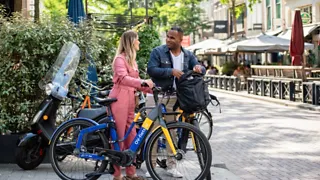
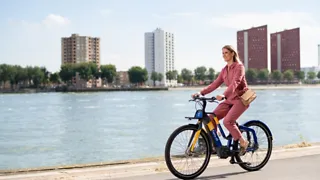
Rent an OV-ebike at one of the 4 locations. This makes it easy to continue your journey from the station.
Benefits
Available in Driebergen-Zeist, Arnhem Centraal, Groningen and Maastricht
Rent immediately and pay afterwards with your OV-chipkaart
No hidden costs
View active rentals in the NS app
How does it work?
You can rent an OV-ebike using an NS Flex season ticket on your OV-chipkaart. Order NS Flex Basis for free and pay no subscription fees.
We no longer offer a standalone OV-fiets season ticket. If you already have a standalone OV-fiets season ticket, it will continue to work as usual.
- Go to a station with OV-ebikes: Driebergen-Zeist, Arnhem Centraal, Groningen or Maastricht.
- Take an OV-ebike and check that the ring lock is closed.
- Open the lock with your OV-chipkaart or NS-Business Card.
- Adjust the saddle to the correct height.
- Press the on/off button on the stem for three seconds and you are ready to go.
Returning your bike
Always return the OV-ebike to the same location. Close the ring lock when you return the bike and check carefully that it is locked. Only then will the rental stop.
Check in the NS app whether your rental has stopped
Link your OV-chipkaart to Mijn NS in the app to get immediate insight into your OV-fiets rides, costs and any damage. You will also receive notifications if you are still renting a bike.
Not receiving notifications? Check your settings to make sure notifications for OV-fiets rentals are enabled and that your phone allows notifications.
In Mijn NS you can also see all your completed rides and costs. You will receive a monthly overview.
Order an OV-fiets season ticket
If you do not yet have an NS Flex season ticket or an OV-fiets season ticket on your OV-chipkaart, add one first so you can hire an OV-fiets. Did you know one season ticket lets you hire two bikes?