Travel with NS in simple language
If you do not travel by train often or find it hard to remember everything, no worries. We guide you step by step. On this page, you will find simple explanations on preparing your journey, how the station works, and what to expect on the train.
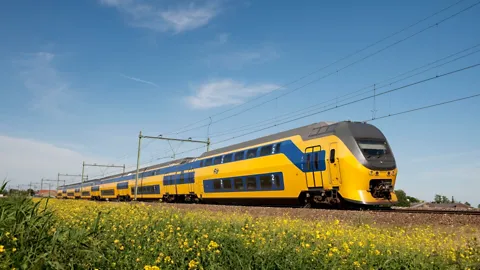
Travelling by Train
Using the Journey Planner
Using the Journey Planner
A great journey starts before you leave home. You can easily plan your route in the NS app or on ns.nl.
- Enter your departure station and your arrival station.
- Select the date and choose whether you want to depart or arrive at a specific time.
- Click Plan.
You will then see your journey duration, whether you need to change trains, and how busy the trains are.
- One figure = quiet
- Two figures = moderately busy
- Three figures = busy
Click on a journey for more information. You will see step by step how to travel, which platform you need, and where to change.
Tip: Check the NS app again just before you leave. Details like departure time or platform sometimes change.
Choosing a ticket
Choosing a ticket
Single ticket
If you travel infrequently, buy a single ticket at the NS Ticket Machine.
You can pay with your payment card (and on some machines with coins).
If you need assistance, call the free number on the machine. A service staff member will ask for the machine number and assist you.
OV-chipkaart
If you travel regularly by train, bus, tram or metro, an OV-chipkaart is useful.
- You buy the card for € 7.50.
- You load credit onto it.
- For journeys by train, you need at least € 20 credit on the card.
- You can add credit to your OV-chipkaart at the NS Ticket Machine. You can also check your balance there.
Travel with your payment card
You can also check in and out with your payment card or credit card. This is handy if you travel occasionally.
NS Ticket Machine
NS Ticket Machine
You can buy a ticket or add credit to your OV-chipkaart at the NS Ticket Machine. You can also check your balance here.
Checking In and Out
Checking In and Out
Before boarding, check in at a gate or card reader.
- Hold your OV-chipkaart or payment card against the scanner.
- You will hear a beep, and the gate will open.
If there is no gate, use a card reader post instead.
Note:
- Gates open only if there is a green arrow.
- A red cross means the gate is closed.
If it does not work, check the screen for errors, check your balance, or ask for help. You can also press the blue button on an information pillar.
Always check out when you arrive at your destination.
Travel Information Displays
Travel Information Displays
At major stations, each platform has a display showing:
- Departure time
- Final destination
- Intermediate stations
- Any delays (in red)
Smaller stations also have displays with this information.
Help at the Station
Help at the Station
- OV Service & Tickets shop: for questions about your ticket or journey.
- Information desk: available at major stations.
- Information pillar: press the blue button for questions or the red button in an emergency.
Toilets
Toilets
Toilets are available at most stations. Payment is with a payment card. Follow the signs marked ‘WC’.
Every NS train has a free-to-use toilet. Longer trains have several toilets. Follow the pictograms to locate them.
Changing to Another Operator
Changing to Another Operator
If you change from NS to another operator, such as Arriva, first check out with NS, then check in with the other operator. The card readers are located together on the platform.
1st and 2nd Class
1st and 2nd Class
The numbers 1 or 2 indicate the location of 1st and 2nd class.
- 1st class: wider, more comfortable seats.
- 2nd class: standard seats.
You need a more expensive ticket for 1st class.
Quiet Coach
Quiet Coach
You must not talk or make calls in quiet coaches. You can recognise them by the large sticker saying ‘STILTE’ or ‘SILENCE’ and the icon of a person holding a finger to their lips.
Wifi
Wifi
Most trains offer free wifi. Select ‘Wifi in the train’, accept the terms and conditions, and you will be online.
Travel Information Screens on the Train
Travel Information Screens on the Train
The screens show:
- which train you are on
- the current time
- when you will arrive
- useful tips and station information
When entering a station, look out of the window. The station name is displayed on a blue sign to let you know exactly where you are.
NS Travel Assistance
NS Travel Assistance
Do you need help boarding, changing trains or disembarking? Book NS Travel Assistance. This service is free of charge.
You can book via:
- the NS app
- ns.nl/reisassistentie
- by phone: 030 – 235 78 22
An assistant will help you at the station and with boarding and disembarking.
Do you have questions?
Do you have questions?
Visit our service and contact page. If you cannot find the answer there, please get in touch with our Customer Service. We are happy to help you.