Travelling with visual impairment
We help you make your journey as easy and independent as possible. Through NS Reisassistentie, guidance strips, tactile information and clear facilities, we help you to travel safely and comfortably by train. On this page you will find information about preparing your journey and the assistance you can expect along the way, both at the station and on the train.
Go directly to
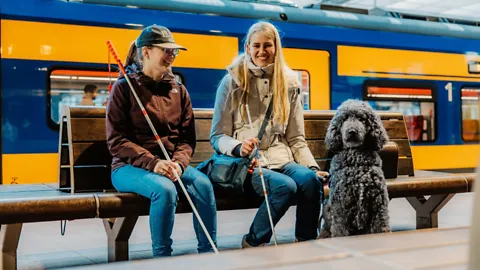
Travelling with a visual impairment
Download the NS app
Download the NS app
Easily plan your journey with the NS app. It works with screen readers and announces which side to exit before arrival. Turn on notifications for extra travel information along the way. You can download the app from the App Store or Play Store.
Explore your route at the station
Explore your route at the station
If you want to plan your route using the guidance paths before you travel, check the travel advice on ns.nl by clicking the three dots beside the station name. You can also search directly for ‘Find guidance path’.
Tactile maps are available at major stations such as Amsterdam Centraal, Arnhem Centraal, Den Haag Centraal, Leiden, Rotterdam Centraal, Utrecht Centraal and Zwolle inside the OV Service & Tickets shop, so you can familiarise yourself with your route before you travel.
Assistance from a member of staff
Assistance from a member of staff
You can easily book NS Travel Assistance through the NS app, Mijn NS, or by calling 030–235 78 22. An assistant will guide you at the station and when boarding, transferring and alighting. At larger stations, the ‘1 Step Further’ service is also available, where the assistant escorts you to the bus, tram, metro, taxi or pick-up and drop-off point.
Facilities at the station
Facilities at the station
Guidance paths at the station safely lead you to the platforms, ticket machines, OV Service & Tickets shop, information points and the check-in and check-out gates. All gates and poles feature Braille pictograms. You will find tactile signs on stair railings and lift buttons.
Check if the lifts are working
Check if the lifts are working
Lifts at stations can occasionally be out of order or undergoing maintenance. We understand it is important to know if a lift is working, especially if you have reduced mobility. This helps you avoid unpleasant surprises during your journey. You can check the availability of most lifts in advance via the NS app and our website, so you can travel with greater confidence.
Know which train is departing
Know which train is departing
Use the NS Platform Indicator app on your phone to view or listen to real-time information from the platform displays.
Assistance at the ticket machine
Assistance at the ticket machine
If you need assistance, call the free helpline on 0800-0540. The number of the ticket machine is in Braille and raised print at the top right corner. A member of staff will assist you remotely.
NS Season tickets for travellers with visual impairments
NS Season tickets for travellers with visual impairments
These season tickets let you check in and out yourself on all public transport, with monthly billing afterwards.
Bringing a companion or assistance dog
Bringing a companion or assistance dog
Are you unable to travel independently? One companion can travel with you free of charge with an OV Companion Card. This card is registered in your name, so you decide who accompanies you.
You can apply for an OV Companion Card through Argonaut Advies by downloading the application form from ov-begeleiderskaart.nl. Need help or have questions? Argonaut Advies can be reached at 030 – 2354661.
If you travel with an assistance dog wearing a recognisable harness or coat from an accredited organisation, your dog can travel free of charge without a Dog Day ticket.
Finding your way on the train
Finding your way on the train
Our trains include features to make your journey easier.
- Sprinters and Intercity New Generation (ICNG) trains have sliding steps with yellow edges to make boarding easier.
- Class sections are tactile: on Sprinters you always board in 2nd class, with 1st class starting just after the door. Intercity trains also have tactile indicators for class and quiet zones.
- Double-decker trains have tactile information on stair railings, while single-deckers have it on or beside the doors. Quiet carriages are marked by a tactile ‘S’.
- Priority seats, located near the doors for those who cannot stand for long, are identified by stickers and, on some train types, a differently coloured headrest.
- Some trains have differences in floor height between compartments, highlighted by ramps, small steps or stairs with contrasting stripes.
Side to exit in the NS Journey Planner
Side to exit in the NS Journey Planner
The latest version of the NS Journey Planner shows which side you will exit the train beneath the arrival station, so you can be ready in good time.
In an emergency at the station or on the train
In an emergency at the station or on the train
Do you need immediate assistance and there is no NS employee nearby? Use the NS Service and Emergency pillar at the station. Press the blue button to speak with a member of staff, or use the red SOS button in an emergency. Both buttons are easy to locate and reachable by touch.
Emergencies are rare, but you can find tips on how to prepare for your journey on our Safe travel with NS page.